

Home Blog Page 8

How to pitch your story via email

0

For new journalists, pitching your story via email can be a daunting task. However, it’s an important skill to master if you want to get your work published in the media. Here are some tips on how to approach media with articles you have written.

  1. Do your research Before pitching your story, take the time to research the media outlet you want to approach. Look at their website, read some of their recent articles, and get a sense of their style and tone. This will help you tailor your pitch to their specific audience.
  2. Know your audience In addition to researching the media outlet, it’s important to know your target audience. Who are you writing for? What are their interests and concerns? Tailor your pitch to the audience you want to reach, and make sure your story is relevant and engaging to them.
  3. Craft a compelling subject line Your subject line is the first thing the editor or journalist will see when they receive your email, so it’s important to make it count. Craft a clear, concise subject line that sums up the essence of your story and piques their interest.
  4. Keep it brief Editors and journalists are busy people, so it’s important to keep your pitch brief and to the point. Your email should include a brief introduction, a summary of your story idea, and any relevant details or credentials. Keep it to a maximum of 2-3 short paragraphs.
  5. Be professional When pitching your story, it’s important to present yourself as a professional journalist. Use proper grammar and spelling, and avoid slang or informal language. Also, make sure to include your contact information and any relevant links or attachments.
  6. Follow up If you don’t hear back from the editor or journalist after a few days, it’s okay to follow up with a polite email. Don’t be pushy or demanding, but simply remind them of your pitch and ask if they had a chance to review it.

In conclusion, pitching your story via email can be a nerve-wracking experience for new journalists, but it’s an important part of getting your work published. By doing your research, knowing your audience, crafting a compelling subject line, keeping it brief, being professional, and following up, you can increase your chances of getting your story noticed and published in the media

If you’re a business and would like to upload a media release, click here.

Writing for mobile: Bite-size basics

0

PHOTO:  Chris Beckett on Flickr.  Some rights reserved

In the age of smartphones and tablets, writing for mobile has become more important than ever. With smaller screens and shorter attention spans, it’s essential to make your content easy to read and digest. Here are some bite-size basics for writing for mobile devices.

Tip 1: Keep It Short When writing for mobile, it’s important to keep your content short and to the point. Use short sentences and paragraphs, and break up your text with subheadings, bullet points, and images. Long blocks of text can be overwhelming on a small screen, and readers are more likely to lose interest.

Tip 2: Use Simple Language Mobile readers are often on the go and looking for quick information. To make your content more accessible, use simple language and avoid jargon or technical terms that your audience may not understand. Use language that is clear and concise to get your message across.

Tip 3: Optimise for Scanning Mobile readers are more likely to scan content than to read it in full. To make your content scannable, use subheadings to break up the text, and use bullet points or numbered lists to highlight key points. Use bold or italicised text to draw attention to important information.

Tip 4: Make it Visually Appealing In addition to breaking up your text, it’s essential to make your content visually appealing. Use high-quality images, videos, and infographics to help illustrate your message. Visual content can also help to break up long blocks of text and make your content more engaging.

Tip 5: Test and Optimise Finally, it’s important to test and optimise your content for mobile devices. Use analytics tools to track how your content is performing, and make adjustments based on your results. Test different formats, lengths, and styles to see what works best for your audience.

In conclusion, writing for mobile requires a different approach than writing for traditional mediums. To make your content more accessible and engaging, keep it short, use simple language, optimise for scanning, make it visually appealing, and test and optimise for the best results. With these bite-size basics, you can create content that is both effective and mobile-friendly.

If you’re a business and would like to upload a media release, click here.

Branding tips for corporates

0

As a corporate brand, increasing brand awareness and perception among the public is essential for success. To achieve this, companies need to create a positive image and increase visibility among their target audience. Here are some of the best tips for corporate brands to increase brand awareness and perception among the public.

  1. Get PR pieces written: PR pieces are an effective way to showcase your brand to the public. Press releases, media pitches, and editorial features can all help increase brand visibility and awareness. Work with a PR agency to create compelling content that highlights your brand’s values, products, and services.
  2. Do video content: Videos are a powerful tool for engaging with your audience and creating a positive brand image. Short videos can be shared on social media platforms like Instagram, TikTok, and YouTube, while longer videos can be hosted on your website or shared via email. Use video to showcase your brand’s personality, share customer testimonials, and provide helpful tips and advice.
  3. Use social media: Social media platforms like Twitter, Facebook, and LinkedIn are essential for building brand awareness and perception. Use these platforms to engage with your audience, share news and updates, and showcase your brand’s values and personality. Be sure to respond to comments and messages promptly, and use social media analytics to track your performance.
  4. Attend events: Attend industry events and conferences to increase brand visibility and perception. Participate in panel discussions, sponsor events, and host your own events to showcase your brand’s products and services. This is a great way to network with other industry professionals and generate leads.
  5. Build partnerships: Collaborate with other brands and organisations to increase brand awareness and perception. Partner with complementary brands to create joint marketing campaigns and co-branded products. Work with influencers and bloggers to reach new audiences and gain exposure.

Increasing brand awareness and perception among the public is essential for corporate brands to succeed. By following these tips, companies can create a positive image and increase visibility among their target audience. Getting PR pieces written and doing video content are just two of the many ways to achieve this. By taking a strategic approach to branding and marketing, corporate brands can build a strong, loyal following and achieve long-term success.

If you’re a business and would like to upload a media release, click here.
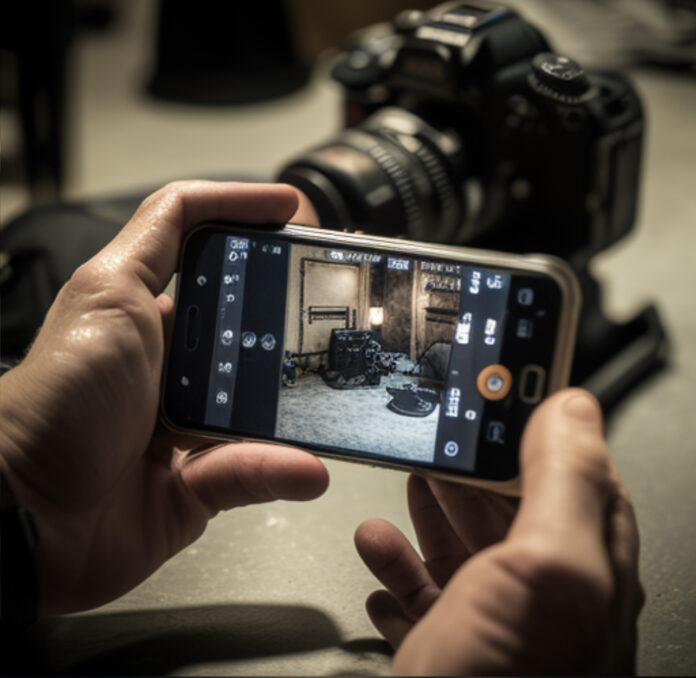
10 Steps to Film, Edit and Share Video with a Mobile Phone

0
Mobile Journalism Video

As smartphones continue to evolve, the capabilities of the cameras they house have also improved significantly. These advancements have given rise to a new era of mobile journalism where anyone can film, edit and share videos with just their phone. Whether you’re a budding journalist or a content creator looking to expand your skills, here are 10 steps to film, edit and share video with a mobile phone.

Step 1: Choose the Right Phone
While many modern phones have impressive camera capabilities, it’s important to choose the right phone for your needs. Look for a phone with a high-quality camera, good storage capacity, and long battery life.

Step 2: Plan Your Shots
Before you start filming, plan your shots. Consider the story you want to tell, and think about the best way to visually convey it. Write a script if needed or have a rough idea of the content you want to shoot.

Step 3: Hold the Phone Steady
Shaky footage can ruin even the best shots. Use both hands to hold the phone steady, and consider investing in a tripod or other stabilisation device.

Step 4: Use the Right Settings
Most mobile phones have manual camera settings that allow you to control exposure, focus, and other important variables. Experiment with these settings to find the best ones for your shots.

Step 5: Record Good Audio
Clear audio is essential for a good video. Try to record in a quiet location, and consider using an external microphone if possible.

Step 6: Edit Your Footage
Once you have captured your footage, it’s time to edit it. Many mobile phones come with built-in video editing tools, but there are also plenty of third-party apps available. Experiment with different editing techniques to find the best ones for your needs.

Step 7: Add Music and Sound Effects
Music and sound effects can add an extra dimension to your video. There are plenty of royalty-free music libraries and sound effect websites to choose from.

Step 8: Add Titles and Captions
Titles and captions can help to convey important information to your audience. Use them to introduce your video, provide context, or highlight key points.

Step 9: Export Your Video
Once you’re happy with your video, it’s time to export it. Choose the appropriate format for your needs and make sure the file size is appropriate for sharing on your chosen platform.

Step 10: Share Your Video
Finally, it’s time to share your video with the world. Consider uploading it to social media, sharing it with friends and family, or submitting it to relevant websites and publications.

Mobile phones have made it easier than ever to film, edit, and share videos. By following these ten steps, you can produce high-quality videos with just your phone. So, grab your phone, start filming, and unleash your creativity.

If you’re a business and would like to upload a media release, click here.

Misinformation: 5 Top tips to track it

0
Image from the American Psychological Association

In today’s digital age, misinformation can spread quickly and easily through social media and other online platforms. As journalists, it’s our responsibility quickly and accurately track misinformation in order to report on it and help to stop its spread. Here are the top 5 tips to help you track misinformation:

  1. Use fact-checking websites: Fact-checking websites such as Snopes, FactCheck.org, and PolitiFact are great resources for verifying the accuracy of information. These sites can help you quickly fact-check claims and determine whether or not information is true or false.
  2. Monitor social media: Social media platforms, such as Twitter and Facebook, can be a breeding ground for misinformation. By monitoring these platforms, you can stay up-to-date on the latest false claims and quickly identify false information.
  3. Use keyword tracking: By setting up keyword tracking alerts, you can be notified when certain keywords or phrases related to misinformation are mentioned online. This can help you to quickly identify and track misinformation as it spreads.
  4. Use browser extensions: Browser extensions such as the B.S. Detector and the Factmata Misinformation Detector can help you quickly identify false information while browsing the web. These extensions can flag potentially false information and give you a warning before you click on a link.
  5. Collaborate with other journalists and fact-checkers: By collaborating with other journalists and fact-checkers, you can share information and resources, and work together to track and report on misinformation. This can help you to stay informed and stay on top of the latest false claims.

It’s important to remember that misinformation is not always easy to spot and that it’s not always intentional. It’s important to approach the information with a critical eye and verify its accuracy before reporting on it. Additionally, it’s important to be transparent about your process of verification. This will help you clearly label information that has been verified or not.

Essentially tracking misinformation is crucial for any journalist. It can help to stop the spread of false information and ensure that the public is well-informed. By using fact-checking websites, monitoring social media, setting up keyword tracking alerts, using browser extensions, and collaborating with other journalists and fact-checkers, you can effectively track false information and report on it accurately.

If you’re a business and would like to upload a media release, click here.

Top 10 apps for Mobile Journalists

0

Mobile journalism, or “mojo,” has revolutionised the world of news reporting by allowing journalists to capture and share stories using only a mobile device. With the rise of smartphones and mobile technology, there are now countless apps available to help mobile journalists capture, edit, and share their stories. In this blog, we will explore the top 10 apps for mobile journalists.

  1. Filmic Pro – Filmic Pro is a professional-grade video camera app that allows mobile journalists to capture high-quality footage on their smartphones. With features such as manual focus and exposure, colour presets, and adjustable frame rates, Filmic Pro is a must-have app for mobile journalists looking to capture high-quality video.
  2. Adobe Premiere Rush – Adobe Premiere Rush is an all-in-one video editing app that allows mobile journalists to edit videos quickly and easily on their smartphones. With features such as automatic colour correction, customisable titles, and the ability to sync between devices, Premiere Rush is a great app for mobile journalists on the go.
  3. Voice Record Pro – Voice Record Pro is a powerful audio recording app that allows mobile journalists to capture high-quality audio on their smartphones. With features such as customisable bitrates, automatic gain control, and the ability to record in the background, Voice Record Pro is a great app for interviews and other audio-focused stories.
  4. ProCamera – ProCamera is a camera app that allows mobile journalists to capture high-quality photos and videos on their smartphones. With features such as manual focus and exposure, customisable presets, and the ability to shoot in RAW format, ProCamera is a great app for mobile journalists looking to capture high-quality visuals.
  5. LumaFusion – LumaFusion is a professional-grade video editing app that allows mobile journalists to edit videos with a wide range of features and tools. With features such as multi-track editing, customisable titles and transitions, and the ability to export in 4K, LumaFusion is a great app for mobile journalists looking to create more complex video stories.
  6. Ferrite Recording Studio – Ferrite Recording Studio is a powerful audio editing app that allows mobile journalists to edit audio on their smartphones. With features such as multitrack editing, customisable equaliser settings, and the ability to record in the background, Ferrite Recording Studio is a great app for mobile journalists looking to create more complex audio stories.
  7. Quik – Quik is a video editing app that allows mobile journalists to create simple, polished videos quickly and easily. With features such as customisable templates, automatic music syncing, and the ability to add text and transitions, Quik is a great app for mobile journalists looking to create quick social media videos.
  8. Open Camera – Open Camera is a camera app that allows mobile journalists to capture high-quality photos and videos on their smartphones. With features such as manual focus and exposure, customisable presets, and the ability to shoot in RAW format, Open Camera is a great free alternative to other camera apps.
  9. Canva – Canva is a graphic design app that allows mobile journalists to create professional-looking graphics for their stories. With features such as customisable templates, a wide range of design elements, and the ability to export in various formats, Canva is a great app for mobile journalists looking to create graphics quickly and easily.
  10. Hootsuite – Hootsuite is a social media management app that allows mobile journalists to manage multiple social media accounts from one place. With features such as scheduling, analytics, and the ability to monitor mentions and messages, Hootsuite is a great app for mobile journalists looking to stay on top of their social media presence.

These top 10 apps for mobile journalists provide a wide range of features and tools to help journalists capture, edit, and share their stories using only a mobile device. Whether you’re

If you’re a business and would like to upload a media release, click here.

The top 5 fact-checking websites

0

In a world of misinformation discerning true from false is especially critical for journalists. Below are 5 of the best websites to use to check if something is true or false.

  1. FactCheck.org: This website is run by the Annenberg Public Policy Center at the University of Pennsylvania and focuses on checking the accuracy of political statements and claims. They have a team of experienced journalists who fact-check statements made by politicians and other public figures.
  2. Snopes.com: This website is one of the oldest and most well-known fact-checking websites. They cover a wide range of topics, including urban legends, conspiracy theories, and misinformation. They have a team of researchers and fact-checkers who work to verify the accuracy of information.
  3. PolitiFact.com: This website is run by the Tampa Bay Times and focuses on fact-checking statements made by politicians. They use a “Truth-O-Meter” rating system to rate the accuracy of statements on a scale from “True” to “Pants on Fire.”
  4. EUFactCheck.eu: This website is run by the European Journalism Centre and focuses on fact-checking statements made by politicians and other public figures in the European Union. They have a team of experienced fact-checkers who work to verify the accuracy of information.
  5. AfricaCheck.org: In Africa, we have AfricaCheck.org which is an independent and non-partisan fact-checking organisation. They have been verified as accurate by the IFCN Code of Principles.

All of the above websites have a good reputation and are considered reliable sources for fact-checking information. They use a rigorous process of research and verification to ensure that their fact-checks are accurate and unbiased. It is important to use multiple sources to fact-check information and to be aware of any biases of the website or organisation that runs it.

If you’re a business and would like to upload a media release, click here.

4 tips on long-distance managing

0

Managing a team can be a daunting task, but managing a team from a distance can be even more challenging. With the rise of remote work, long-distance management has become more prevalent than ever. Whether you’re a new manager or an experienced one, here are four tips for long-distance managing that will help you lead your team to success.

Tip 1: Set Clear Expectations One of the most important things you can do as a long-distance manager is to set clear expectations for your team. This includes establishing goals, deadlines, and a communication plan. Make sure everyone is aware of their role in achieving the team’s objectives, and that they understand the consequences of not meeting expectations.

Tip 2: Communicate Effectively Effective communication is key to successful long-distance management. Make sure you have regular check-ins with your team, whether that’s via video conference, phone call, or email. Encourage your team members to communicate with each other as well, and make sure everyone knows how to reach you if they need to.

Tip 3: Build Trust Building trust with your team is essential, especially when managing from a distance. Trust can be built through open and honest communication, providing support when needed, and being reliable. Show your team that you trust them by giving them autonomy to complete their work, and recognise their achievements when they succeed.

Tip 4: Use Technology Technology has made long-distance management easier than ever. Make use of collaboration tools like Trello or Asana to track project progress and assign tasks. Use video conferencing tools like Zoom or Microsoft Teams to hold virtual meetings, and consider using instant messaging apps like Slack to stay connected with your team throughout the day.

Thus, managing a team from a distance requires a different approach than traditional management. By setting clear expectations, communicating effectively, building trust, and using technology, you can lead your team to success, no matter where they are located. So, embrace the remote work culture and use these tips to become an effective long-distance manager.

If you’re a business and would like to upload a media release, click here.

6 Interview Tips for Brand Storytellers

0

Brand storytelling is an essential component of marketing, and conducting a great interview is key to producing compelling brand stories. Whether you’re a journalist, marketer, or content creator, here are six interview tips for brand storytelling that will help you produce powerful stories that resonate with your audience.

Tip 1: Research the Brand Before conducting an interview, it’s essential to research the brand you’re interviewing. This will help you to understand the brand’s values, mission, and target audience. By having a solid understanding of the brand, you can ask more relevant questions and craft a story that resonates with the brand’s core audience.

Tip 2: Prepare Open-Ended Questions Open-ended questions are questions that can’t be answered with a simple “yes” or “no.” They require the interviewee to provide a more detailed response, which can lead to more insightful and compelling stories. Prepare a list of open-ended questions that are relevant to the brand’s message and values.

Tip 3: Build Rapport Building rapport with your interviewee is essential to getting them to open up and share their story. Start the interview with some small talk to build a connection with the interviewee, and let them know that you’re genuinely interested in their story.

Tip 4: Listen Carefully Active listening is an essential skill for conducting a great interview. Listen carefully to the interviewee’s answers, and ask follow-up questions to get more information. By actively listening, you can pick up on nuances and details that can make the story more compelling.

Tip 5: Use Non-Verbal Communication Non-verbal communication can play a big role in building rapport with the interviewee. Smile, make eye contact, and use body language that shows you’re engaged and interested in what they have to say.

Tip 6: Be Respectful Respect is crucial when conducting an interview. Be mindful of the interviewee’s time and be courteous throughout the interview. If the interviewee is uncomfortable with a question, be respectful and move on to the next one.

Conducting a great interview is key to producing compelling brand stories. By researching the brand, preparing open-ended questions, building rapport, listening carefully, using non-verbal communication, and being respectful, you can produce powerful brand stories that resonate with your audience. So, use these tips and start telling great brand stories today.

If you’re a business and would like to upload a media release, click here.

Journalists! Want to raise audience engagement?

0

In today’s fast-paced media landscape, audience engagement is more important than ever. With so much content available, journalists need to find ways to connect with their readers and keep them engaged. Here are some tips for raising audience engagement:

  1. Know Your Audience

The first step to raising audience engagement is to know your audience. Understand their interests, needs, and preferences, and tailor your content to meet their expectations. Use analytics and data to track their behaviour and adjust your approach accordingly.

  1. Use Social Media

Social media platforms such as Twitter, Facebook, and Instagram are powerful tools for connecting with your audience. Use them to share your content, engage with your readers, and build a community around your brand.

  1. Create Interactive Content

Interactive content such as quizzes, polls, and surveys can help to engage your audience and encourage them to interact with your content. This type of content is also shareable, which can help to increase your reach.

  1. Incorporate Multimedia

Incorporating multimedia such as photos, videos, and infographics can make your content more engaging and visually appealing. This type of content is also more shareable, which can help to increase your reach.

  1. Use Personalisation

Personalisation can help to make your content more relevant and engaging for your audience. Use data and analytics to tailor your content to the interests and preferences of your readers.

  1. Encourage User-Generated Content

Encourage your audience to share their own content and opinions. This can help to create a sense of community around your brand and increase engagement.

  1. Emphasize Storytelling

Storytelling is a powerful tool for engaging your audience. Use narrative techniques to tell compelling stories that resonate with your readers and keep them coming back for more.

  1. Be Responsive

Engage with your audience by responding to comments and questions. This can help to build trust and loyalty with your readers.

  1. Experiment with New Formats

Experiment with new formats such as podcasts and live streams to engage your audience in new and innovative ways.

  1. Measure Your Success

Track your audience engagement metrics and adjust your approach accordingly. Use data and analytics to optimise your content and improve your engagement over time.

Raising audience engagement requires a combination of understanding your audience, using social media, creating interactive content, incorporating multimedia, using personalisation, encouraging user-generated content, emphasizing storytelling, being responsive, experimenting with new formats, and measuring your success. By following these tips, journalists can connect with their readers and build a loyal and engaged audience.

If you’re a business and would like to upload a media release, click here.